Commutator Pro - UART JSON Controller Operational Manual
Overview
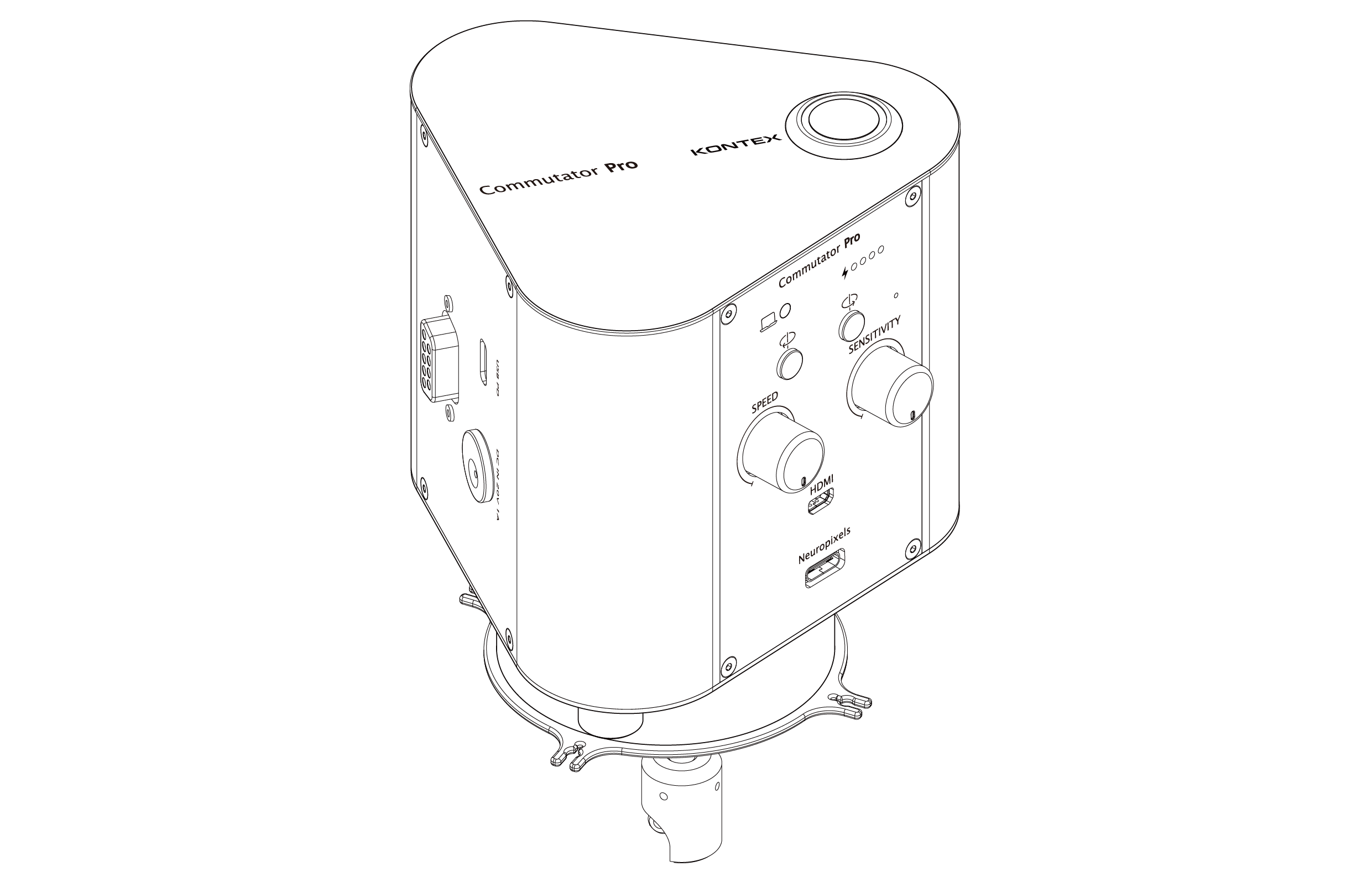
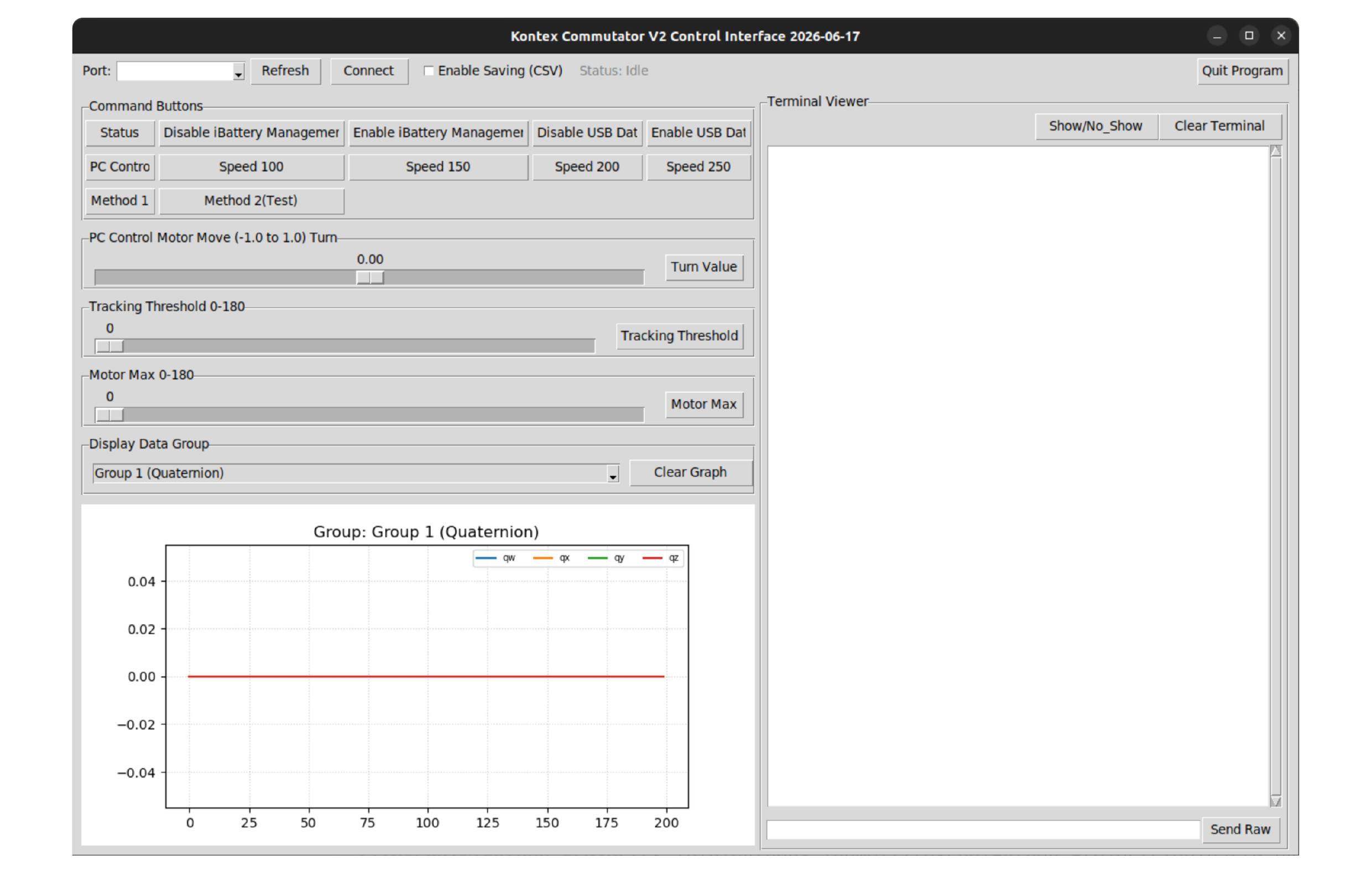
This manual provides a detailed functional overview of the UART JSON Controller - Pro Edition interface. The software is designed to manage hardware devices, such as the Commutator Pro, through real-time command transmission and data visualization.
UART JSON Controller Interface Overview
|
|
|
|---|---|---|
| Machine Status | Status | Requests a status update from the Commutator for diagnostic and troubleshooting purposes. |
| Motor Speed Control | Speed 100, Speed 150, Speed 200, Speed 250 | Adjusts the motor rotation speed used during automatic or manual operation. |
| Motor Control Method | Method 1, Method 2 (Test) | Selects the motor control algorithm or sensor feedback method used for commutator operation. |
| Manual Control | PC Control, Turn Value Slider, Turn Value | Provides direct user control of motor rotation for testing, calibration, and troubleshooting purposes. |
| Enable/Disable USB Data Output | Enable USB Data, Disable USB Data | Enables or disables real-time data transmission through the USB interface for monitoring and external software integration. |
| Enable/Disable Intelligent Battery Management | Enable iBattery Management, Disable iBattery Management | Controls the battery charge management feature. When enabled, the battery is maintained between 20% and 80% charge to maximize battery lifespan. When disabled, the battery is allowed to charge to 100% capacity. |
| Track Threshold Setting | Tracking Threshold Slider, Tracking Threshold | Adjusts the IMU/Gyro tracking sensitivity used to trigger automatic motor compensation. Lower values increase responsiveness, while higher values require greater rotational movement before compensation is activated. |
| Max Motor Run Degree Setting | Motor Max Slider, Motor Max | Sets the maximum rotation angle allowed for each motor compensation event to prevent excessive movement. |
Download Firmware File
